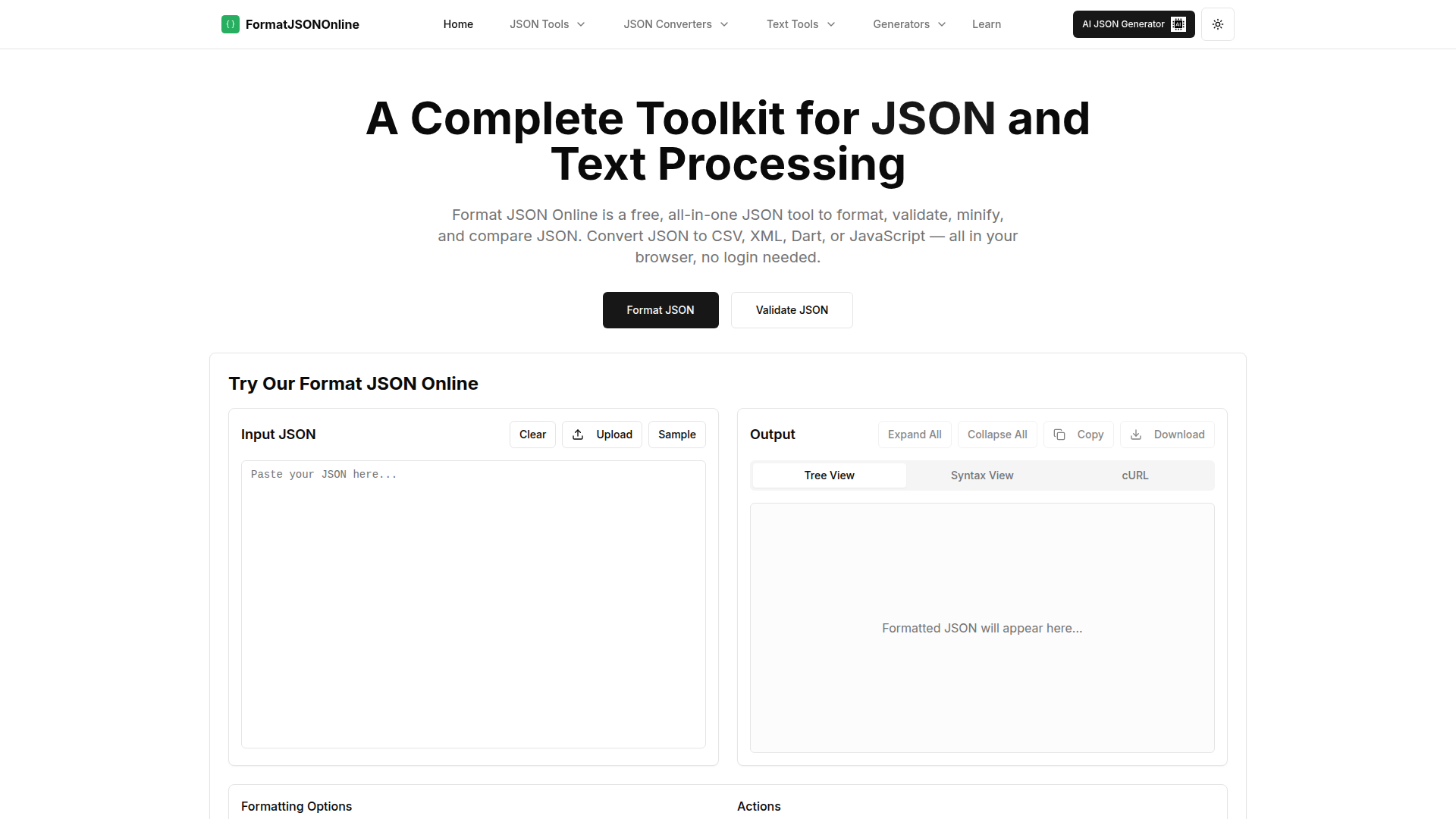
FormatJSONOnline is a user-friendly online platform designed to work with JSON data effortlessly. It offers a variety of tools tailored for developers and data professionals to format, validate, compare, and convert JSON easily, ensuring that your data is always accurate and well-structured.
Key Features of FormatJSONOnline
Free JSON Formatter & Beautifier: Instantly transform messy or minified JSON into a readable format—perfect for enhancing code readability.
Real-Time JSON Validator: Quickly detect syntax errors while pasting or writing JSON, ensuring your data is always valid.
Side-by-Side JSON Comparison: Visually compare two JSON files with color-coded differences, making it easy to spot changes.
Simultaneous Scrolling: Both JSON panes scroll together for more straightforward line-by-line tracking of differences.
Screenshot Generator: Create and download high-quality screenshots of your JSON comparisons, great for documentation and sharing.
In-Browser, No Setup Required: Use our tools instantly without the need for login, downloads, or installations.
Optimized for Large Files: Capable of handling large JSON files (approx. 30MB+) without performance issues.
Secure and Private: All data processing occurs on your device, maintaining complete privacy and security.
Developer-Focused Use Cases: Ideal for debugging REST API responses, comparing outputs, validating third-party feeds, and instructional purposes.
Mobile-Friendly UI: A responsive design that works seamlessly across desktops, tablets, and mobile devices.
How to Use FormatJSONOnline?
Using FormatJSONOnline is straightforward. Simply navigate to the desired tool, such as the JSON Formatter, and follow these steps:
Paste your JSON data into the provided box or upload a JSON file directly.
Select any specific formatting options you may want, like indent size or quote style.
Click 'Format JSON' to instantly beautify or validate your JSON, and view the output seamlessly on the same page.
Pricing
FormatJSONOnline is completely free to use, without any hidden fees or subscriptions. All features are available instantly, permitting users to access powerful JSON handling without any barriers.
Helpful Tips
Explore the various tools available, such as JSON to XML and JSON to CSV converters, to maximize your data processing capabilities.
Utilize the comparison tool for verifying changes in JSON files, especially during development or before deployment.
Regularly validate your JSON data to avoid any errors in your applications and improve the overall integrity of your data interchange.
Frequently Asked Questions
What is JSON?
JSON (JavaScript Object Notation) is a lightweight data interchange format that is easy to read and write for humans while being equally easy for machines to parse and generate. Used primarily for transmitting data in web applications, it is structured in key-value pairs, such as:
For a complete overview, see our full Guide to JSON.
What tools does FormatJSONOnline offer?
We provide a comprehensive array of tools including JSON Formatter, JSON Validator, JSON Compare, JSON Minifier, JSON to XML Converter, JSON to CSV Converter, and Dummy JSON generator for testing.
Is my data secure when using these tools?
Absolutely! All processing occurs directly in your browser. Your JSON data never leaves your device, ensuring full privacy and security.
Do I need to create an account to use these tools?
No, there’s no need for an account! All tools are available freely without any registration, allowing immediate use.
How do I format JSON?
To format JSON on our platform, paste your data into the formatter tool, select your preferred options, and click 'Format JSON'. Your JSON will be neatly formatted for better readability.
How do I open a JSON file?
You can open JSON files in any text editor, such as Notepad or VS Code. Alternatively, you can utilize our JSON formatter tool by uploading your file or copying its contents for viewing and editing.