What is Getfloorplan?
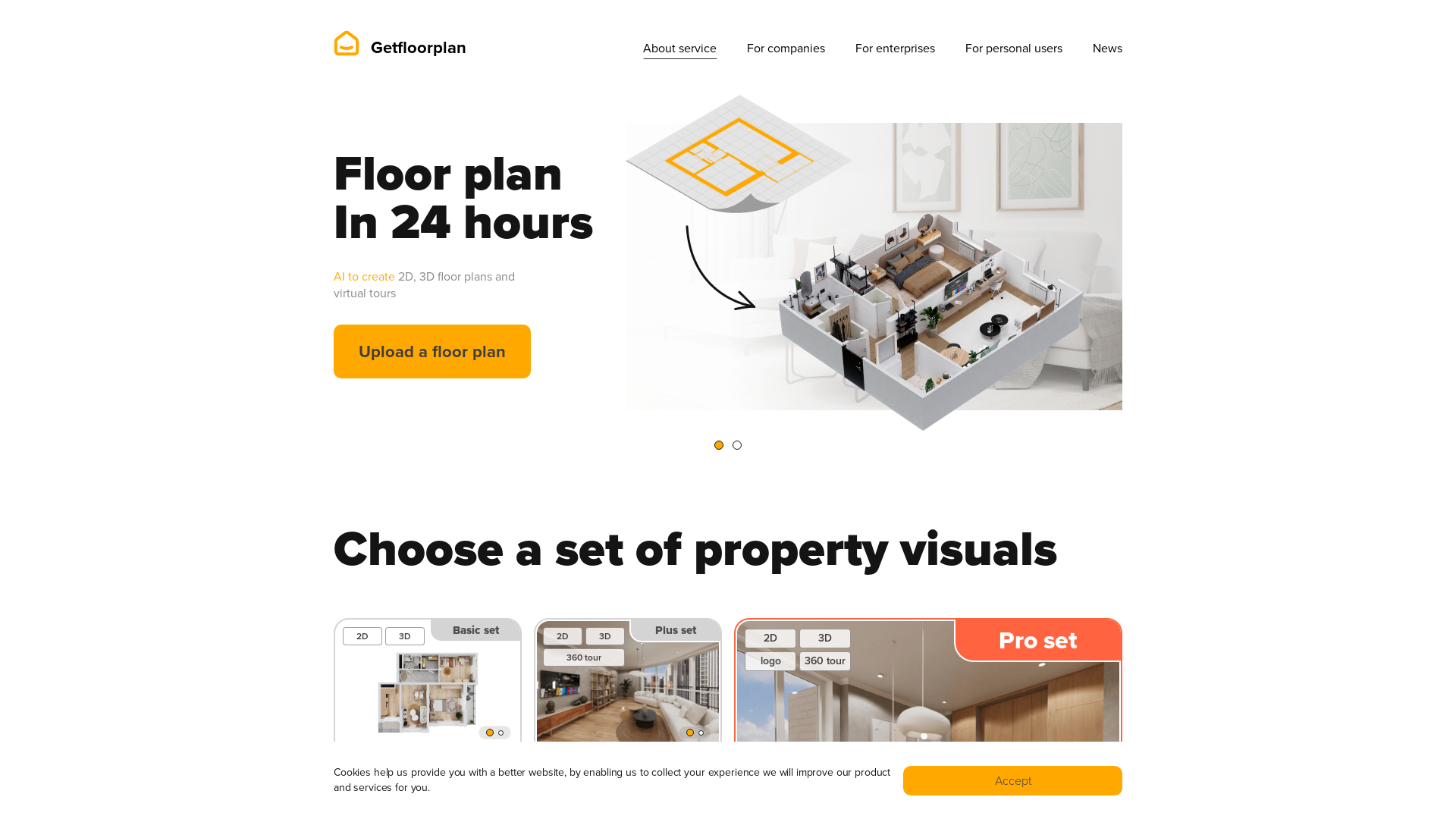
Getfloorplan is an innovative AI-driven service designed to create 2D and 3D floor plans and virtual tours for properties. Utilizing advanced technology, it provides realistic visualizations that can significantly enhance real estate marketing efforts. Users can upload their existing floor plans, and within 24 hours, receive professional-quality images, including 360-degree virtual tours, without the need for human involvement.
What are the main features of Getfloorplan?
-
AI-Generated Visuals: Access to an intelligent platform that creates stunning 2D and 3D floor plans along with virtual tour options.
-
Fast Turnaround: Enjoy guaranteed delivery of visuals within 24 hours of uploading your floor plan.
-
Flexible Pricing Plans: Choose from various visual sets, catering to different project needs, starting from basic to pro options.
-
Money-Back Guarantee: Satisfaction is prioritized with a promise of a refund if the results do not meet your expectations.
-
Customization Options: Modify elements of the floor plan such as interior design, furniture, and wall colors post-rendering.
How to use Getfloorplan?
To use Getfloorplan, follow these simple steps:
- Upload your floor plan in JPG, PNG, or PDF format.
- Select your desired visual set (Basic, Plus, Pro, or Render).
- Wait for the Quality Assurance team to verify and finalize your visuals.
- Receive your custom 2D, 3D floor plans, or virtual tour within 24 hours.
This user-friendly process requires no technical skills and is designed to cater to both individual users and businesses.
What are the pricing options?
Getfloorplan provides several pricing tiers to fit different budgets and visualization needs:
-
Basic Set: 2D & 3D Floor Plans for $20.
-
Plus Set: 2D & 3D Floor Plans with a 360 tour for $35.
-
Pro Set: Includes added branding options with 2D, 3D Floor Plans, and a 360 tour for $45.
-
Render Set: Offers high-quality renders along with floor plans for $35.
Helpful Tips
-
File Quality: Ensure your uploaded file clearly represents a single apartment or house floor to enable accurate visualization.
-
Design Preferences: If you want specific interior designs, upload separate plans for each style.
-
Customer Support: Reach out to customer service for any special requests or modifications needed post-rendering.
Frequently Asked Questions
What type of file should I upload?
You can upload JPG, PNG, or PDF files containing one apartment or house floor.
Can I change the interior design, furniture, wall color, etc.?
Yes, after rendering, our Quality Assurance team can customize your floor plan according to your preferences.
Why will I get visuals in 24 hours?
Each floor plan undergoes a quality check to ensure there are no mistakes after AI rendering, which guarantees a high-quality result.
Can I get a refund?
Yes, you can email to request a refund, and you will typically receive your money back within 3 to 7 business days.
Can I choose two interior designs for one floor plan?
No, one chosen style is applied to all uploaded files. You will need to upload a second floor plan if you want a different design.