HTML转Figma
免费Figma插件,可将网页、URL或HTML代码转换为可编辑的Figma图层。为重新设计和质量检查提供快速的HTML到设计工作流程。
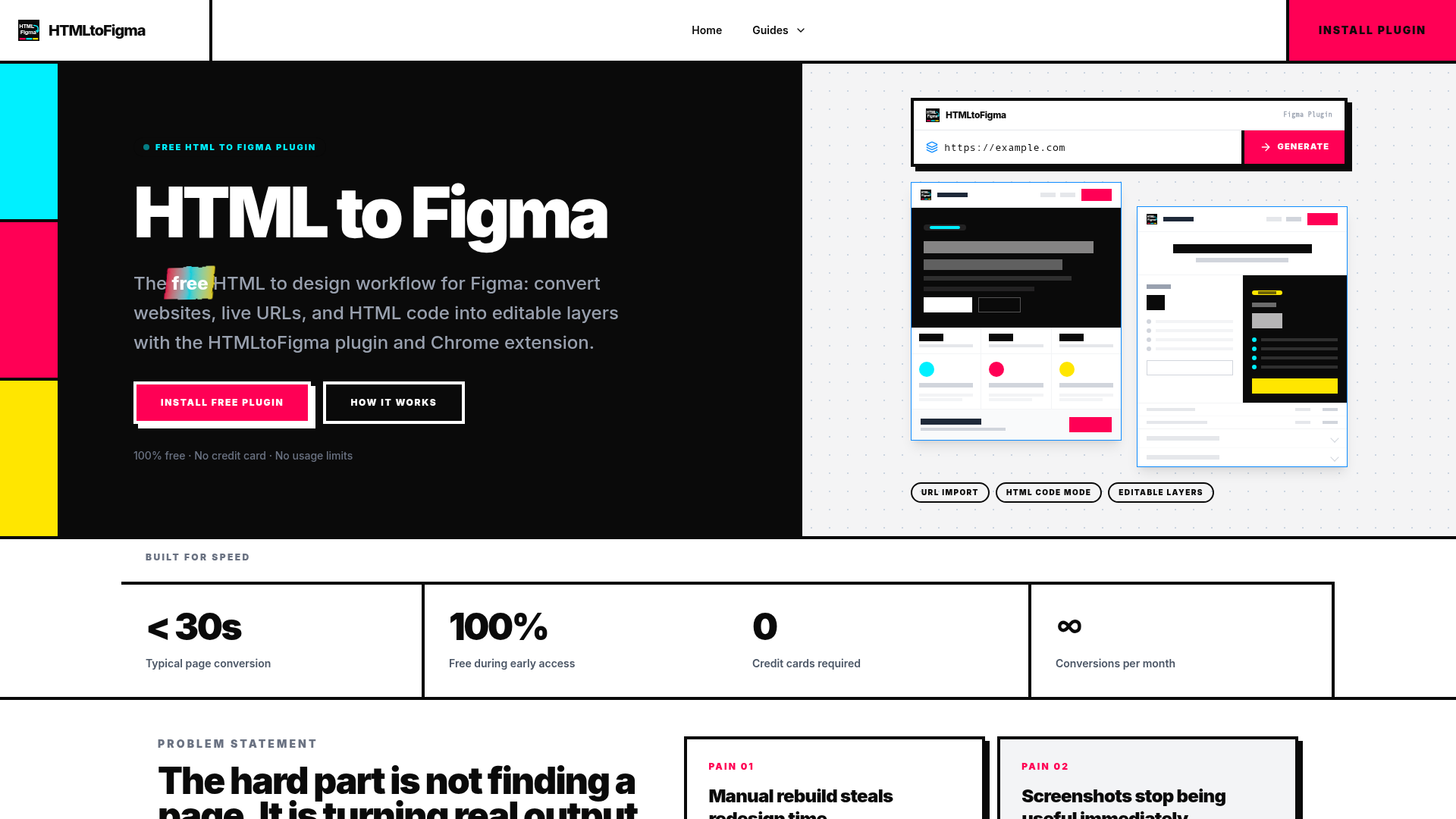
HTML转Figma 介绍
什么是 HTMLtoFigma?
HTMLtoFigma 是一款 Figma 插件和 Chrome 扩展程序,旨在弥合网页与设计工作流之间的鸿沟。它为解决设计师常见的痛点提供了一个实用方案:将实时网站、URL 或原始 HTML/CSS 代码转换为完全可编辑的 Figma 图层。该工具本质上是一个 HTML 到 Figma 的转换器,无需手动重建或描摹现有的网页界面。通过提供 Figma 内的直接插件和浏览器扩展,HTMLtoFigma 简化了将任何在线网页或本地 HTML 项目转化为可塑性强的 Figma 设计起点的过程,适用于重新设计、设计审计和竞品分析。其核心承诺是通过提供保留关键 CSS 属性和页面结构的网页到 Figma 工作流,节省数小时的手动工作。
核心功能与优势
可编辑图层,而非截图
与简单地粘贴静态图像不同,HTMLtoFigma 将文本、容器和图像等页面元素转换为原生的 Figma 对象。这使您能够立即移动、重新设计样式、重命名和编辑这些图层,让导入的内容成为设计工作的真正基础。对于任何静态截图无法满足的重新设计或设计质量检查过程,此功能至关重要。
高保真 CSS 保留
该工具旨在将真实、可编辑的设计令牌带入 Figma。它致力于保留关键的 CSS 属性,如排版(字体家族、大小、粗细)、颜色、间距、边框和基本布局结构。这种保真度使其成为频繁使用浏览器开发者工具的强大替代方案,使设计文件更贴近实际的生产代码。
多样化的导入方式
您可以通过针对不同工作流程定制的多种入口点启动转换。### URL 导入功能允许您将实时网页地址直接粘贴到 Figma 插件中,以捕获任何公共网站的当前状态。或者,### HTML 代码模式允许您粘贴原始 HTML 和 CSS,非常适合开发人员移交组件或处理本地项目。
与 Chrome 扩展无缝集成
为了实现真正简化的网页到 Figma 流程,HTMLtoFigma Chrome 扩展程序允许您捕获浏览器中正在查看的确切页面,并将其直接发送到 Figma,而无需离开您的工作流程。这使得竞品分析和灵感收集变得极其快速且具有情境感知能力。
速度与简洁性
整个流程专为速度而设计,典型的页面转换在 30 秒内完成。没有复杂的仪表板;您只需安装插件,选择输入方法(URL 或代码),片刻之后,您就拥有了一个可供编辑的 Figma 文件。
如何安装和使用 HTMLtoFigma
使用 HTMLtoFigma 是一个直接的三步过程,可直接集成到您已使用的工具中。
-
安装插件或扩展
从 Figma Community 或 Chrome 网上应用店开始。搜索“HTMLtoFigma”并一键安装。Figma 插件原生集成到您的设计环境中,无需单独的应用程序或账户设置。
-
粘贴您的源材料
在 Figma 中,从菜单打开插件。然后,您有两个主要选项:
-
对于实时网站:切换到 URL 模式并粘贴完整地址(例如,
https://example.com/product-page)。 -
对于代码或组件:切换到 HTML 代码模式,并直接从您的代码编辑器或本地项目文件中粘贴相关的 HTML 和 CSS 片段。
-
-
编辑生成的设计
处理完成后,整个网页结构将作为一组可编辑图层出现在您的 Figma 文件中。您现在可以立即开始重新设计工作:调整间距、更新文案、更改颜色,或分解结构以用于新的组合,无需任何手动重建。
定价结构
目前,在早期访问期间,HTMLtoFigma 完全 ### 免费。没有使用限制,无需信用卡,所有核心功能均可免费使用。这包括无限次转换、URL 和 HTML 代码导入模式,以及 Chrome 扩展程序的访问权限。团队计划在未来推出付费的 ### 专业版,该版本将增加高级功能,如更高保真度的 CSS 转换模式、批量导入功能和优先支持。目前,任何人都可以将其作为功能齐全、无限制的 Figma HTML 到设计工具进行安装和使用。
最大化利用 HTMLtoFigma 的实用技巧
-
用于设计质量检查:导入您设计的网页已上线的实时版本。将其与您的原始设计文件叠加,以快速发现间距、排版或组件对齐方面的视觉偏差。
-
用于竞品分析:在浏览竞争对手网站时使用 Chrome 扩展程序。将他们的着陆页捕获到 Figma 中,作为一组可编辑图层来分析其布局层次、行动号召按钮放置和内容策略。
-
用于重新设计项目:从导入的当前实时网站副本开始您的重新设计。这为您提供了一个完全准确的基准,供您重构和改进,确保您的新设计能解决实际的结构性问题。
-
用于开发人员移交:开发人员可以使用 HTML 代码模式从本地构建中导出特定组件或部分,并将代码直接粘贴到 Figma 中,供设计人员在设计上下文中审查和设计样式。
常见问题解答
HTMLtoFigma 真的免费吗?
是的。在早期访问阶段,HTMLtoFigma 完全免费,其所有核心功能均无使用限制,也无需信用卡。
从 HTML 到 Figma 的转换准确度如何?
HTMLtoFigma 旨在保留字体、颜色和间距等关键 CSS 样式,以在 Figma 中创建一个有用、可编辑的基准。它将结构转换为真实的图层,而非平面图像,这使得它从根本上不同于截图,并且对于设计工作来说更加实用。
我可以将整个网站导入 Figma 吗?
您可以通过 URL 导入功能导入任何公共网页的当前渲染状态。它会捕获页面在那一刻在浏览器中显示的样子,这非常适合单页审计、重新设计或比较。
Figma 插件和 Chrome 扩展程序有什么区别?
Figma 插件在 Figma 内部工作,允许您粘贴 URL 或代码。Chrome 扩展程序从您的浏览器工作,允许您将当前正在查看的页面直接发送到 Figma。两者都能实现相同的最终结果,但迎合了您工作流程中的不同起点。
导入的图层完全可编辑吗?
当然。这是其核心价值主张。所有文本、形状和组都被转换为标准的 Figma 图层,您可以像编辑 Figma 中创建的任何其他元素一样选择、编辑、移动和重新设计样式。
哪些类型的网站效果最好?
该插件适用于大多数可渲染的公共网页。更简单、静态的页面转换最快。具有复杂 JavaScript 交互性的页面可能会简化某些元素,但核心结构和样式通常能被有效捕获,以满足设计目的。
它适用于本地 HTML 文件或开发项目吗?
是的。您可以从本地项目中复制 HTML 和 CSS,并在 Figma 插件中使用 HTML 代码导入模式将该代码转换为 Figma 图层,这使其成为连接开发人员和设计人员工作流程的绝佳工具。
 Cloudflare
 HTTP/3
 Next.js
 Node.js
 React
React Webpack