What is ReadyRunner?
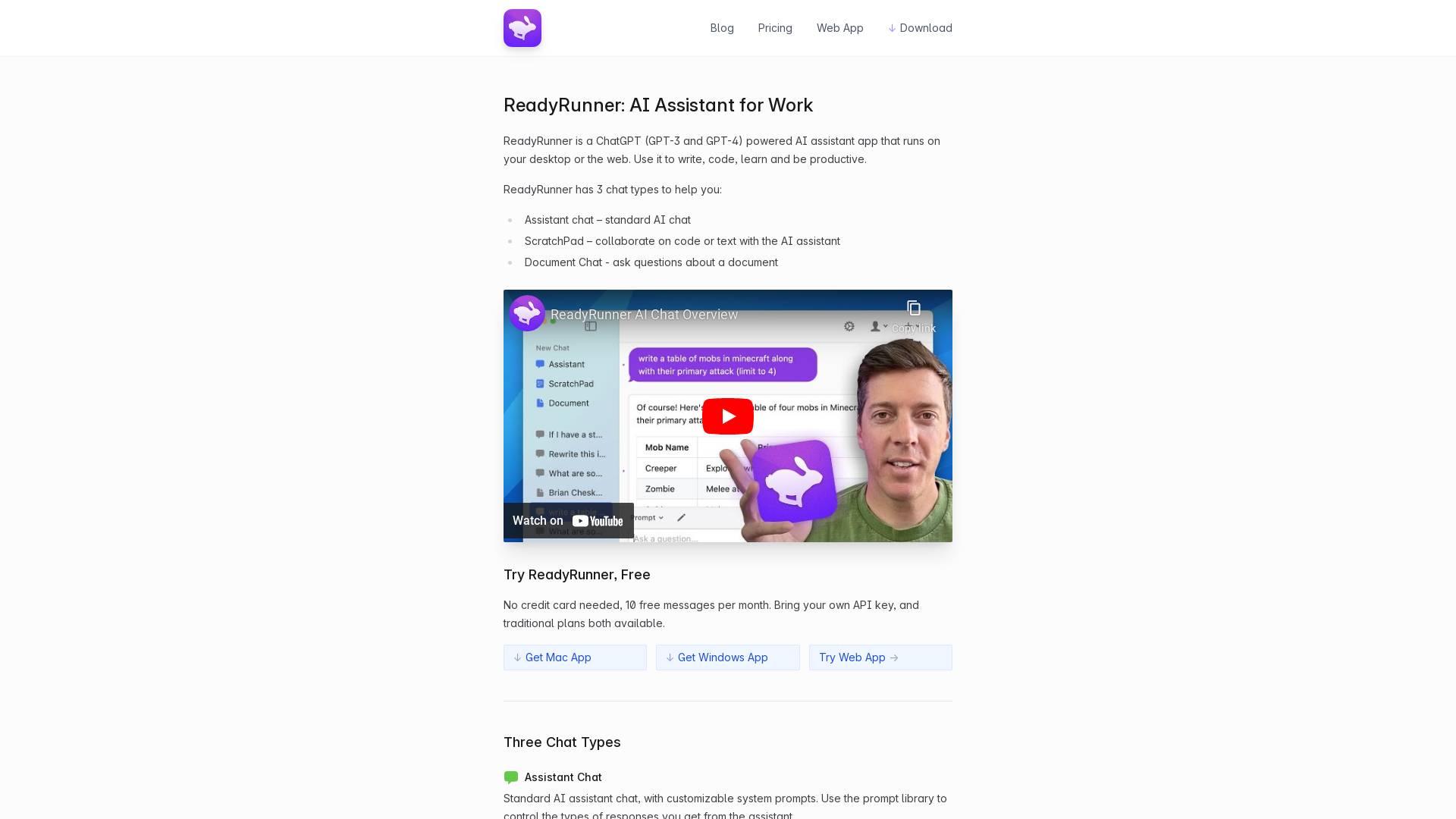
ReadyRunner is an AI Assistant application powered by ChatGPT (GPT-3 and GPT-4) designed for both desktop and web use. It helps users enhance productivity through writing, coding, learning, and various other tasks. Its versatile capabilities make it suitable for a wide audience, from students to professionals.
What are the main features of ReadyRunner?
-
Three Chat Types:
-
Assistant Chat: Engage in standard AI conversations with customizable prompts.
-
ScratchPad: Collaborate on code or text with the AI, allowing real-time edits and inquiries.
-
Document Chat: Upload documents for the AI to analyze and answer questions based on their contents.
-
Global Hotkey Access: Quickly access ReadyRunner from anywhere on your desktop without disrupting your workflow.
-
System Prompt Library: Utilize powerful system prompts to tailor responses for specific tasks such as translation, summarizing, coding, and more.
-
Messaging Interface: Messages stream from the top for easier reading, and memory functionality indicates which messages are currently included in the context.
-
Model Switcher: Users can seamlessly switch between GPT-3 and GPT-4 models mid-conversation.
How to use ReadyRunner?
Users can start using ReadyRunner for free, with 10 messages available each month and no credit card required. For extended usage, users can bring their own API key or opt for traditional paid plans. Whether on Mac or Windows, ReadyRunner can be easily installed for an optimized desktop experience.
What is the pricing structure of ReadyRunner?
ReadyRunner offers a free plan including 10 messages per month. Users can opt for more comprehensive subscription plans that allow for increased messaging and additional features, providing flexibility based on individual needs and usage.
Helpful Tips for Maximizing ReadyRunner
-
Utilize the ScratchPad: It is a powerful feature for collaborative text and code editing.
-
Customize Your Prompts: Make use of the system prompt library to refine how the AI responds to specific tasks.
-
Engage with Document Chat: This feature is invaluable for comprehending long or complex documents effectively.
-
Keyboard Shortcuts: Familiarize yourself with global hotkeys for quick access and efficient multitasking.
Frequently Asked Questions
Can I try ReadyRunner for free?
Yes, you can try ReadyRunner for free, with no credit card needed, simply by signing up to receive 10 free messages per month.
How do I access different chat types in ReadyRunner?
Once in the application, you can easily switch between Assistant Chat, ScratchPad, and Document Chat based on your current task requirements.
Can I change the AI model during a conversation?
Absolutely! ReadyRunner allows you to choose or switch between GPT-3 and GPT-4 models mid-conversation to better suit your needs.
Will my information be stored or used?
ReadyRunner prioritizes user privacy, and any data management practices are outlined in their privacy policy.
How does the global hotkey access work?
You can set a custom hotkey in your ReadyRunner settings, allowing you to open the app instantly from anywhere on your system. This ensures you maintain your workflow without interruptions.