What is Kensho's AI Toolkit?
Kensho's AI Toolkit is a powerful suite of AI-driven tools designed to analyze and gain insights from data. It caters to various needs, such as transcription, entity identification, data linking, PDF extraction, and concept understanding, helping users streamline their workflows and improve efficiency.
What are the main features of Kensho's AI Toolkit?
-
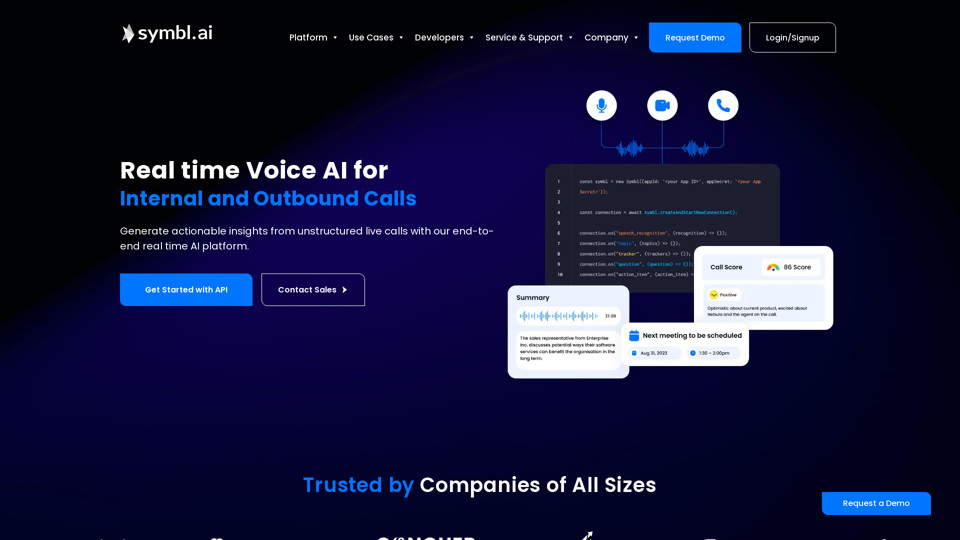
Scribe - Speech-to-Text Transcription: Optimized for accuracy and speed, Scribe offers a 25-point increase in accuracy over traditional services, processing audio swiftly.
-
NERD - Identify Entities in Text: Analyze text to uncover companies, people, and events, providing insights and streamlining workflows.
-
Kensho Link: Connects your company data with S&P Global's extensive database to find relevant company matches without needing complex models.
-
Kensho Extract: Automate data extraction from complex PDF documents, structuring insights for downstream analytics.
-
Classify - Understand Document Concepts: Identify where specific concepts occur in your text, enriching your data structure without needing machine learning expertise.
How to use Kensho's AI Toolkit?
To start using Kensho's AI Toolkit, you can sign up for a free trial. Each tool within the toolkit has a designated sign-in process, enabling users to access features such as free minutes of transcription, entity annotations, data links, and extractions. Simply create an account, log in, and explore the various tools to uncover insights from your data.
What is the pricing for Kensho's AI Toolkit?
Kensho offers a variety of pricing models depending on the tools used and the extent of usage. While initial access includes free offerings such as 150 minutes of transcripts, 500 pages of entity annotations, and more, additional features and higher limits may be available through subscription plans tailored to user needs.
Helpful Tips for Using Kensho's AI Toolkit
-
Maximize Free Offerings: Take advantage of the free trial period to explore all tools and understand which ones meet your specific business needs.
-
Integrate Multiple Tools: Consider using multiple Kensho tools together for a more powerful data analysis strategy, such as combining Scribe with NERD for enriched transcription insights.
-
Provide More Data for Accuracy: When using Kensho Link or the NERD tool, inputting more fields may improve match accuracy and insights derived from your data.
Frequently Asked Questions
How accurate is the transcription provided by Scribe?
The Scribe tool boasts a 25-point increase in accuracy compared to traditional transcription services, ensuring reliable results.
Is there a limit to the free usage of each tool?
Yes, each tool comes with specific limits during the free trial period; for instance, Scribe provides 150 minutes of free transcripts.
Can I integrate Kensho’s tools into my existing system?
While specific integration capabilities may vary, Kensho's tools are designed with flexibility, allowing users to connect with external databases and streamline workflows.
What do I do if I encounter issues with the tools?
Contact the Kensho support team for assistance with any challenges or questions you may have about using the AI Toolkit.
How do I modify my cookie preferences?
You can learn about cookie settings in Kensho’s Cookie Notice, where you can manage your preferences regarding cookies used on their site.