LowTech AI
Easy-to-use AI powered tools to make you faster, more creative, and happier. AI tools backed by thoughtful prompts for writers, managers, teachers, and anyone else who should be benefiting from AI.

What is LowTech AI?
LowTech AI is a user-friendly platform that harnesses the power of artificial intelligence to create intuitive tools that cater to a variety of needs. By utilizing straightforward fill-in-the-blank inputs, users can quickly generate email drafts, summaries, synonyms, and even code functions—all designed to enhance productivity and creativity.
What are the main features of LowTech AI?
- Easy-to-Use Tools
- No prior knowledge is needed; just follow the simple prompts to generate results.
- Versatile Functionality
- Users can create a wide range of outputs including summaries, professional emails, code snippets, and more.
- No Sign-Up Required
- Users can interact with tools instantly without the need for account creation, making sharing a breeze.
- Custom Tool Creation
- Users have the option to create their personalized AI tools or enhance existing ones.
How to use LowTech AI?
To make the most of LowTech AI, simply navigate to the desired tool, fill in the required information (whether it's text to summarize, an email context, or code structure), and let the AI do the rest. There’s no registration necessary, allowing for both immediate use and easy sharing.
Pricing of LowTech AI
Currently, LowTech AI offers its tools for free without any associated costs. This accessibility ensures everyone can utilize AI capability without financial barriers, encouraging widespread use and experimentation with different tools.
Helpful Tips for Using LowTech AI
- Explore Different Tools
- Don't limit yourself to one function; experiment with various tools to see how they can enhance different aspects of your work.
- Maximize Productivity
- Use the summarization feature to distill lengthy documents into key points and save valuable reading time.
- Customize for Your Brand
- Create personalized tools that align with your brand voice and messaging to ensure consistency across communications.
Frequently Asked Questions
Can I really do everything with LowTech AI?
Yes! The platform offers a vast array of tools designed for numerous tasks, from writing and summarizing to coding and analyzing content, ensuring a comprehensive suite of features at your disposal.
Do I need to sign up to use LowTech AI?
No, you can start using LowTech AI tools without signing up. You can simply visit the site, select a tool, and begin utilizing AI’s capabilities.
How can I share tools I create on LowTech AI?
Sharing is simple! Since there’s no sign-up process, you can directly share the links of the tools you create with friends, co-workers, or your audience.
Is my data safe with LowTech AI?
Yes, your privacy is a priority. Since no account setup is required, personal data collection is minimal, and your input won't be stored for future use.
How does using LowTech AI improve productivity?
Research indicates that utilizing AI tools can double productivity, enhance accuracy, and make work more fulfilling, allowing users to focus on tasks that require a human touch while AI handles the repetitive aspects.
LowTech AI
Easy-to-use AI powered tools to make you faster, more creative, and happier. AI tools backed by thoughtful prompts for writers, managers, teachers, and anyone else who should be benefiting from AI.
 Next.js
 Node.js
 React
 Vercel
 Webpack
Free AI anime and manga generator. Turn text into anime episodes, manga, comics, webtoons and comic shorts in any art style — no drawing or animation skills needed.
Translate image text across 70+ languages with our advanced AI Image Translator to help you better expand your products globally to various countries
Advertised Here
Reach thousands of visitors daily. Get your spot now!
Tools similar to LowTech AI
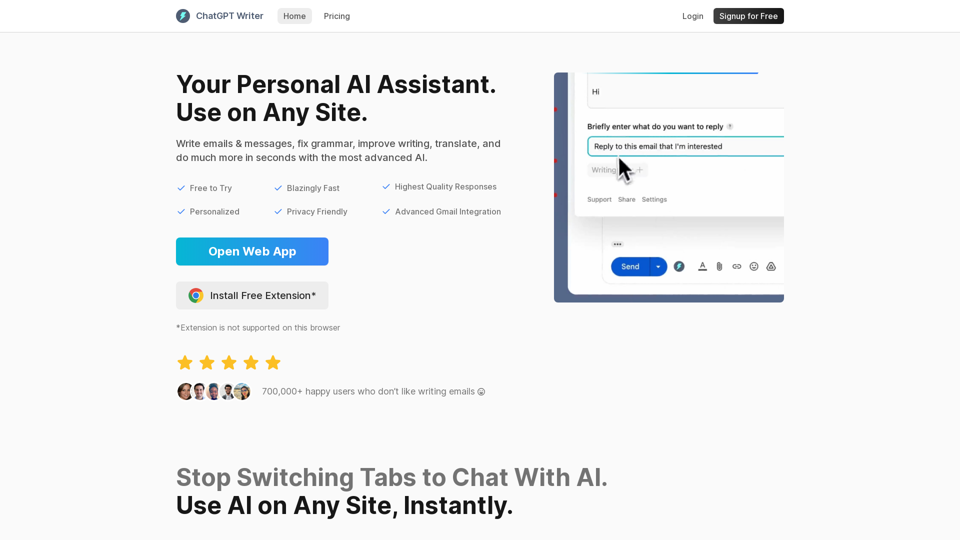
Write emails & messages, fix grammar mistakes, rephrase text, change writing tone, summarize text, and much more using ChatGPT AI. Works on all sites. Free to use.

AllWrite is an AI-powered writing assistant app that generates writing ideas, suggestions, and feedback to help you create high-quality content. Our content generation tool and essay maker use the latest AI technology to help you create unique and engaging essays and email copy for your blog or website. AllWrite is perfect for bloggers, writers, and anyone who wants to improve their writing skills. Try AllWrite today and experience the power of AI writing!

Love ChatGPT? Run it on messages in your Inbox, or while composing a new email using our free ChatGPT Add-in for Outlook!