MagicAnimate
MagicAnimate: Temporally Consistent Human Image Animation using Diffusion Model
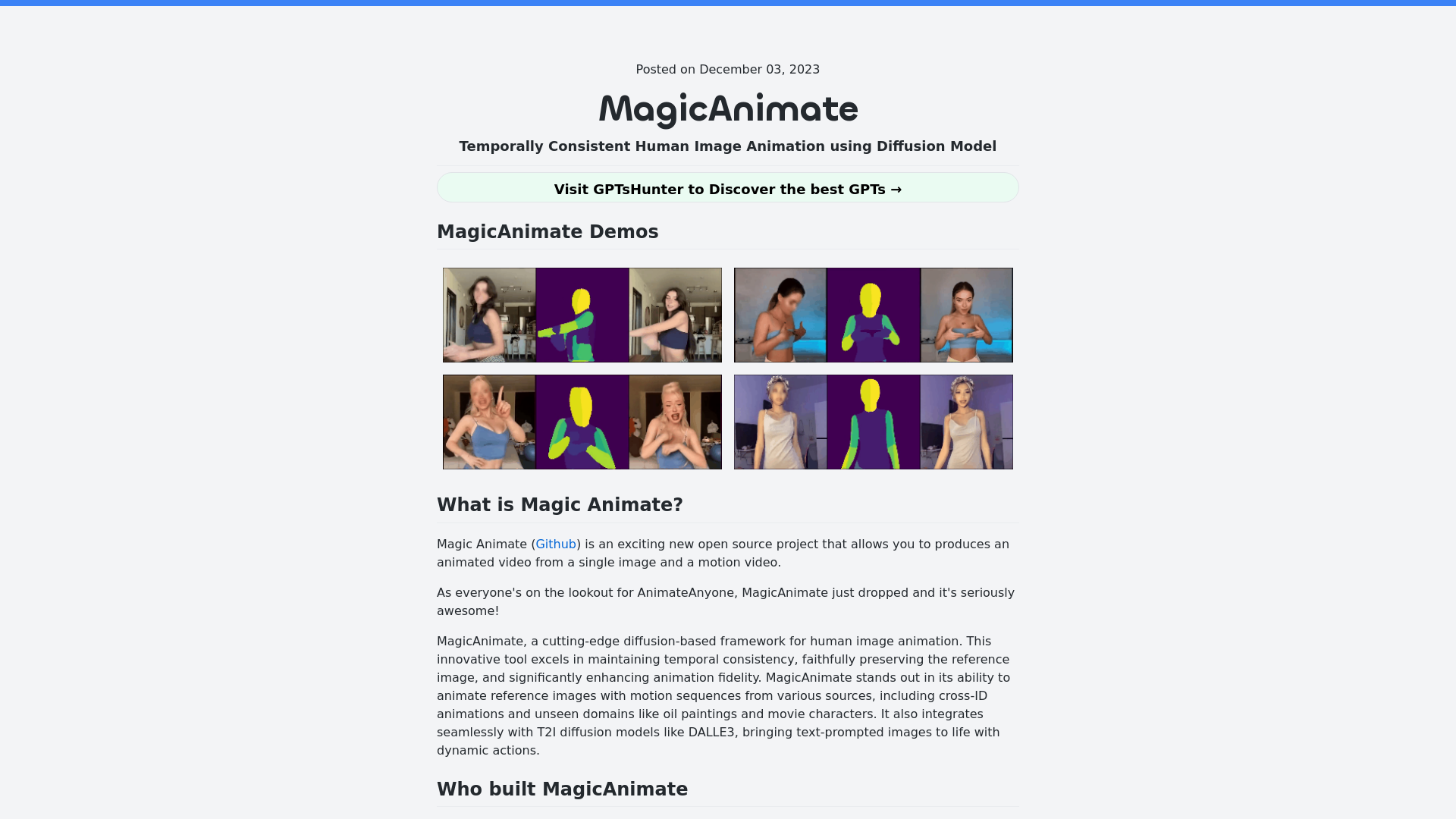
MagicAnimate Introduction
What is MagicAnimate?
MagicAnimate is an innovative open-source project designed to create animated videos from a single image and a motion video. Developed by Show Lab at the National University of Singapore and Bytedance, MagicAnimate utilizes a cutting-edge diffusion model for human image animation. This tool excels in maintaining temporal consistency and significantly enhances animation fidelity, allowing for the animation of reference images with motion sequences from various sources. It can transform static images into dynamic videos seamlessly, even working with cross-ID animations and unseen domains such as oil paintings and movie characters.
Features of MagicAnimate
-
Temporal Consistency: Maintains the integrity of the reference image while animating.
-
High Animation Fidelity: Produces high-quality animations that closely resemble the original image.
-
Wide Range of Motion Sources: Can animate images using motion sequences from various sources, enhancing creativity and versatility.
-
Integration with T2I Diffusion Models: Works well with models like DALLE3 to bring text-prompted images to life.
-
Open Source Accessibility: Freely available for users to explore and utilize.
How to Use MagicAnimate?
To get started with MagicAnimate, follow these steps:
-
Download Pretrained Models: Ensure you have the pretrained base models for StableDiffusion V1.5 and MSE-finetuned VAE.
-
Install MagicAnimate Checkpoints: Download the necessary checkpoints to initiate the animations.
-
Set Up Your Environment: Ensure you have Python (>=3.8), CUDA (>=11.3), and ffmpeg installed. Use conda to create your environment:
conda env create -f environment.yml conda activate manimate -
Use Online Demos: You can try MagicAnimate's online demo on platforms like Hugging Face and Replicate to see its capabilities without installation.
-
Utilize the API: For developers, the Replicate API can be leveraged to generate animated videos programmatically. Here's a sample code:
import Replicate from "replicate";

const replicate = new Replicate({
    auth: process.env.REPLICATE_API_TOKEN,
});

const output = await replicate.run(
    "lucataco/magic-animate:e24ad72cc67dd2a365b5b909aca70371bba62b685019f4e96317e59d4ace6714",
    {
        input: {
            image: "https://example.com/image.png",
            video: "Input motion video",
            num_inference_steps: 25,
            guidance_scale: 7.5,
            seed: 349324
        }
    }
);
Pricing
MagicAnimate is an open-source project, meaning it is available for free. However, users may need to consider the costs associated with cloud services or resources required for running the software, such as GPU time if using online demos or APIs.
Helpful Tips
-
Experiment with Inputs: Use diverse motion videos and reference images to see how they influence the output.
-
Monitor for Distortions: Be aware of the potential for distortions in facial features or hands; tweaking configurations may help.
-
Check for Compatibility: Make sure to use models and setups that align with MagicAnimate's requirements to avoid technical issues.
Frequently Asked Questions
What are the main advantages of using MagicAnimate?
MagicAnimate offers excellent temporal consistency and a high level of fidelity in animations. Its ability to animate various types of images makes it a versatile tool for creators.
Are there any limitations to MagicAnimate?
While it provides advanced features, users may experience some distortion in animated results, particularly with facial and hand representations. The default styles may also vary significantly, requiring manual adjustment for specific artistic goals.
How can I learn more about MagicAnimate?
For further information, you can refer to the official MagicAnimate introduction or explore their GitHub repository.
Where can I find demos of MagicAnimate in action?
Demos of MagicAnimate can be found on platforms like Hugging Face and Replicate, providing an interactive way to experience its capabilities.
 HTTP/3
 Cloudflare
 Google Analytics
Free AI Anime & Manga Generator
Free AI anime and manga generator. Turn text into anime episodes, manga, comics, webtoons and comic shorts in any art style — no drawing or animation skills needed.
LiftOff
LiftOff is the product launch platform for makers to launch products, earn upvotes, get discovered, and build momentum with a community that loves what is next.
AI Image Translator
Translate image text across 70+ languages with our advanced AI Image Translator to help you better expand your products globally to various countries
Featured
Advertised Here
Reach thousands of visitors daily. Get your spot now!