Google Map Extractor
Discover the power of our Google Maps Scraper. Efficiently extract business data, reviews, and locations to enhance your marketing strategies and insights.
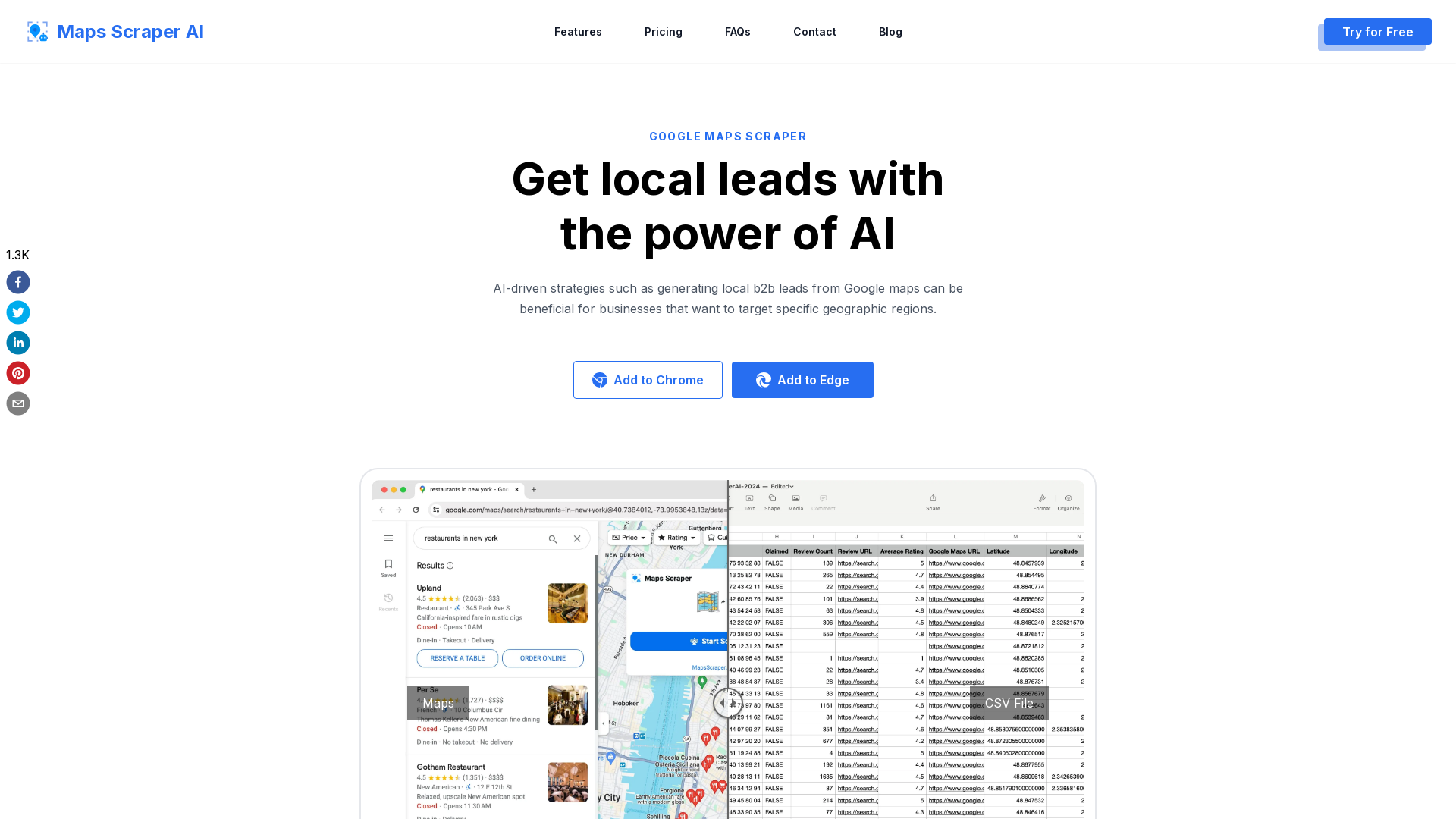
Google Map Extractor Introduction
What is Google Maps Scraper?
Google Maps Scraper is an AI-driven tool designed to extract data from Google Maps, providing businesses with valuable information such as business listings, addresses, phone numbers, emails, social media links, reviews, and much more. This powerful resource enables users to generate local B2B leads and gain insights from 16 million+ places, facilitating targeted marketing strategies.
Features of Google Maps Scraper
-
Comprehensive Data Extraction: Extracts email addresses, phone numbers, social media profiles, and more from listed companies.
-
User-Friendly Interface: Allows data extraction without the need for coding, making it accessible for everyone.
-
Batch Lookup Capability: Perform bulk searches for multiple keywords simultaneously to streamline efficiency.
-
Rapid Results: Provides instant and accurate insights, saving time by eliminating the need for custom scraping tools.
-
Real User Simulations: Mimics human behavior on Chrome to avoid being blocked by Google Maps.
-
Regular Updates: The software is well-maintained and updated to keep pace with any changes on Google Maps to ensure uninterrupted access to its features.
How to Use Google Maps Scraper
-
Search on Google Maps: Begin by entering your desired query on Google Maps to identify local businesses in your area.
-
Open the Chrome Extension: Access the Chrome extension with a click, making it quick and straightforward to initiate data extraction.
-
Export Results: Easily export your findings in CSV or XLS format without restriction on data volumes, including emails and phone numbers.
Pricing Plans
-
Free Plan:
- Monthly leads export: 1,000 records
- Export 15 records at a time
- Basic data extraction features (phone numbers, websites)
-
Pro Plan (Yearly):
- Monthly leads export: 100,000 records
- Unlimited exports
- $9.9/month with added features: email and social media extraction, and automatic bulk extraction.
-
Pro Plan (Monthly):
- Same as yearly plan but priced at $19.9/month.
Helpful Tips
-
Narrow Your Search: If you’re not getting enough results for a broad query, try searching for smaller, specific areas like neighborhoods or regions instead of entire cities or states.
-
Utilize Filters: Use available filters to refine your search results further, helping you target the most relevant businesses.
-
Stay Updated: Regularly check for updates on the tool to maximize accuracy and functionality based on Google Maps changes.
Frequently Asked Questions
What is Google Maps Scraper?
Google Maps Scraper is a tool that extracts data from Google Maps, enabling users to gather vital business-related information efficiently.
Is it legal to scrape Google Maps data?
Yes, scraping publicly available information from platforms like Google Maps is generally considered legal under First Amendment protections, as long as minimal ethical standards are followed.
Why don’t I see all results for larger regions?
For extensive searches, focus on smaller regions or specific locations to obtain more comprehensive results rather than conducting broad searches across entire states.
How do I cancel my subscription?
Subscriptions can be canceled within the app under the settings menu or by contacting customer support via email.
For more information or to try Google Maps Scraper, visit our website.
 Amazon CloudFront
 Amazon Web Services
 HTTP/3
 Next.js
 Node.js
 React
React Webpack
Free AI Anime & Manga Generator
Free AI anime and manga generator. Turn text into anime episodes, manga, comics, webtoons and comic shorts in any art style — no drawing or animation skills needed.
LiftOff
LiftOff is the product launch platform for makers to launch products, earn upvotes, get discovered, and build momentum with a community that loves what is next.
AI Image Translator
Translate image text across 70+ languages with our advanced AI Image Translator to help you better expand your products globally to various countries
Featured
Advertised Here
Reach thousands of visitors daily. Get your spot now!