SVGMaker
SVG Maker, an AI SVG Generator to design, edit & convert vector graphics. Works with SVG, EPS, AI & PDF for icons, logos & illustrations.
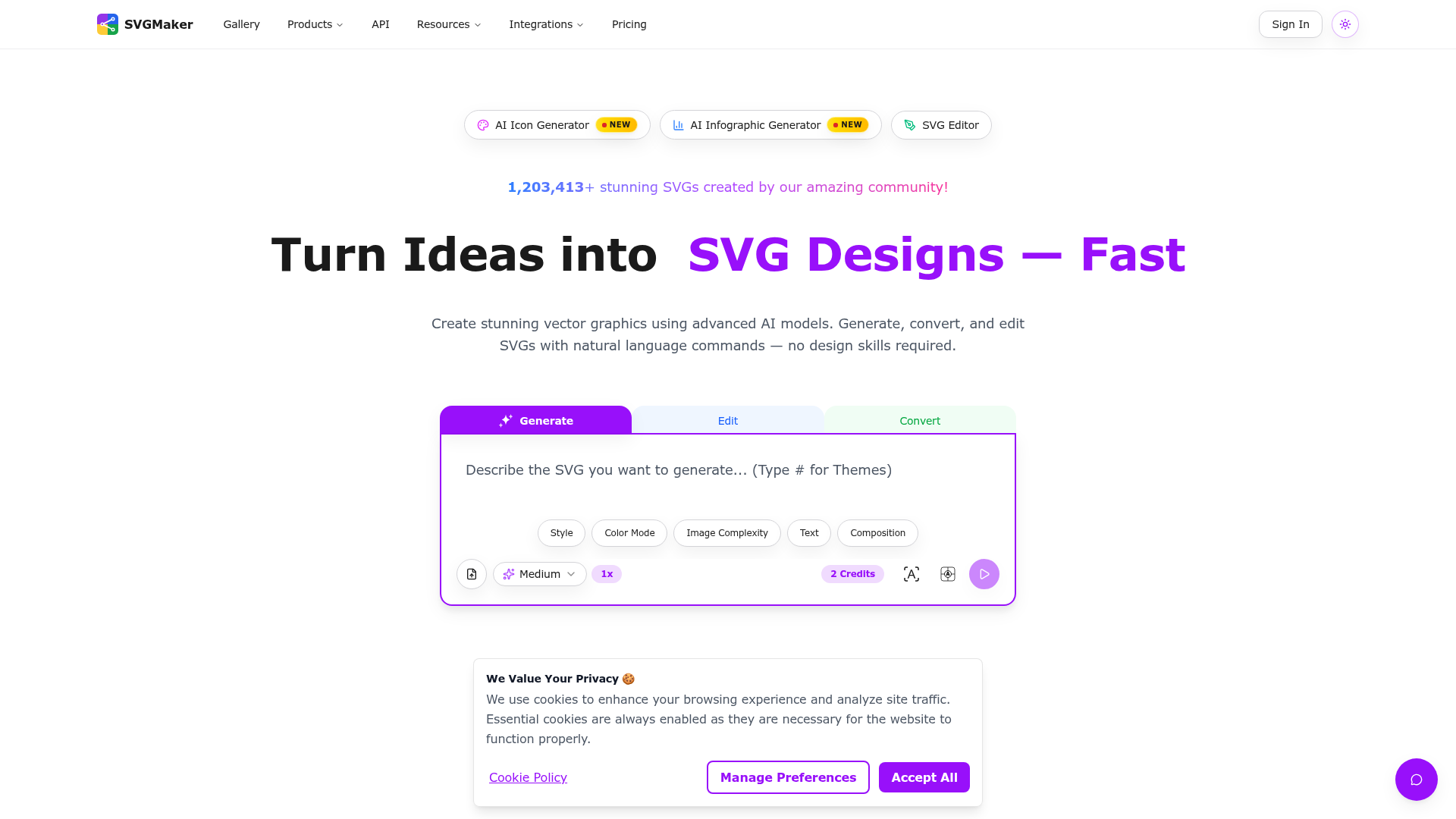
SVGMaker Introduction
What is SVGMaker?
SVGMaker is an advanced, AI-powered platform designed to create, edit, convert, and optimize Scalable Vector Graphics (SVG). It transforms ideas, text descriptions, or uploaded images into high-quality, resolution-independent vector artwork. By leveraging cutting-edge AI models, it allows users to generate logos, icons, infographics, illustrations, and designs for web, print, and merchandise without requiring traditional design skills. It serves as a comprehensive suite for both casual creators and professional designers.
What are the main features of SVGMaker?
SVGMaker boasts a robust set of features tailored for modern vector design workflows:
-
AI-Powered Generation & Editing:
-
AI SVG Generator: Converts natural language text prompts into detailed SVG graphics instantly.
-
AI Prompt-Based Editor: Allows for iterative, text-based editing and refinement of existing SVG designs.
-
Multiple Generation & Editing: Generates up to 4 design variations simultaneously using leading external AI models like Flux and Qwen Edit Plus.
-
-
Comprehensive Conversion & Optimization Tools:
-
SVG Converter: Transforms raster images (JPG, PNG) into clean, scalable SVG vectors.
-
Photo to SVG: Turns any photograph or screenshot into editable vector art.
-
SVG Background Remover: Instantly isolates subjects by removing backgrounds from SVG files.
-
SVG Text Remover: Easily strips text elements from SVG graphics for reuse.
-
-
Professional Design Suite:
-
Advanced SVG Editor: A full-featured, browser-based editor with drawing tools, path manipulation, layers, grouping, drop shadows, and a magic eraser for precise control.
-
Design Ready Presets: Apply instant stylistic transformations like Flat, Linocut, Isometric, Ghibli, or Outline styles to any SVG.
-
Multiple Export Formats: Download designs in vector formats (SVG, PDF, EPS, AI, DXF) for infinite scaling or raster formats (PNG, JPG, WebP) for web use. Also exports as React JSX components, HTML, and CSS.
-
-
Developer & Workflow Integration:
-
REST API & MCP Server: Integrate SVG generation and editing directly into custom applications, automation tools, or code editors like VS Code and Cursor via a comprehensive API or Model Context Protocol (MCP) server.
-
How to use SVGMaker?
Using SVGMaker is designed to be intuitive, catering to users of all skill levels:
-
For Generation: Navigate to the main tool. Describe your desired graphic in the text box (e.g., "a minimalist logo of a mountain with a sun"), adjust style and color parameters, and click "Execute" to generate your SVG.
-
For Conversion: Use the "Upload image" function to convert a JPG/PNG file into an SVG. The AI will vectorize the image, which you can then further edit.
-
For Editing: Open any generated or uploaded SVG in the built-in ### SVG Editor. Use the toolbar for manual edits (draw, erase, recolor) or use the AI prompt bar for instructions like "change the color to blue" or "add a border."
-
To Download: Once satisfied, use the download button to export your creation in your preferred format (SVG, PNG, PDF, etc.) or code format (JSX, HTML).
Price and Credits
SVGMaker operates on a credit-based system. Generating or significantly editing an SVG typically costs 2 credits. The platform likely offers:
-
Free Tier: May include a limited number of credits or generations for new users to test the platform.
-
Subscription Plans: Various paid plans (e.g., Pro, Team, Enterprise) that provide larger bundles of credits per month, access to premium AI models, higher resolution exports, API access, and priority support. Specific pricing tiers would be listed on their website's pricing page.
Helpful Tips for Using SVGMaker
-
Be Specific in Prompts: Detailed text descriptions yield better results. Include style (e.g., "flat icon," "detailed illustration"), colors, composition, and purpose.
-
Leverage the Community Gallery: Browse the gallery for inspiration and to see how others craft their prompts.
-
Iterate with the AI Editor: Use the prompt-based editor to refine your designs step-by-step instead of trying to generate the perfect image in one go.
-
Use Presets for Consistency: The style presets are perfect for quickly applying a coherent look across multiple design assets for a project.
-
Check File Requirements: For print-on-demand (e.g., Redbubble, Shopify) or cutting machines (e.g., Cricut), ensure you export in the recommended format (often SVG or PNG with transparent background).
Frequently Asked Questions (FAQ)
Can I use SVGMaker for free?
Yes, there is typically a free tier that allows you to generate a limited number of SVGs to explore the platform's core features.
What is the difference between SVG and PNG?
SVG is a vector format made of paths and shapes, allowing infinite scaling without quality loss, perfect for logos and print. PNG is a raster format made of pixels, ideal for web graphics with transparency but which can pixelate when enlarged.
Do I own the SVGs I create on SVGMaker?
Generally, yes. Users typically retain ownership of the graphics they generate, allowing them to use them for personal or commercial projects. Always review the platform's Terms of Service for specific licensing details.
Can SVGMaker create files for my Cricut or Silhouette cutter?
Absolutely. The SVG format is native to these crafting machines. You can generate designs and download them as SVG files ready to import into software like Cricut Design Space or Silhouette Studio.
How does the AI understand my text prompt?
The platform integrates with advanced large language and image generation models (like GPT-4o, DALL-E 3, Flux) that are trained to interpret descriptive language and translate it into visual elements and artistic styles.
Is there an API for developers?
Yes, SVGMaker offers a comprehensive REST API and an MCP server, enabling developers to programmatically generate, edit, and convert SVGs, integrating these capabilities directly into their own applications or development workflows.
 Envoy
Envoy Google Cloud
 Google Cloud CDN
 Google Cloud Trace
 HTTP/3
Free AI Anime & Manga Generator
Free AI anime and manga generator. Turn text into anime episodes, manga, comics, webtoons and comic shorts in any art style — no drawing or animation skills needed.
LiftOff
LiftOff is the product launch platform for makers to launch products, earn upvotes, get discovered, and build momentum with a community that loves what is next.
AI Image Translator
Translate image text across 70+ languages with our advanced AI Image Translator to help you better expand your products globally to various countries
Featured
Advertised Here
Reach thousands of visitors daily. Get your spot now!