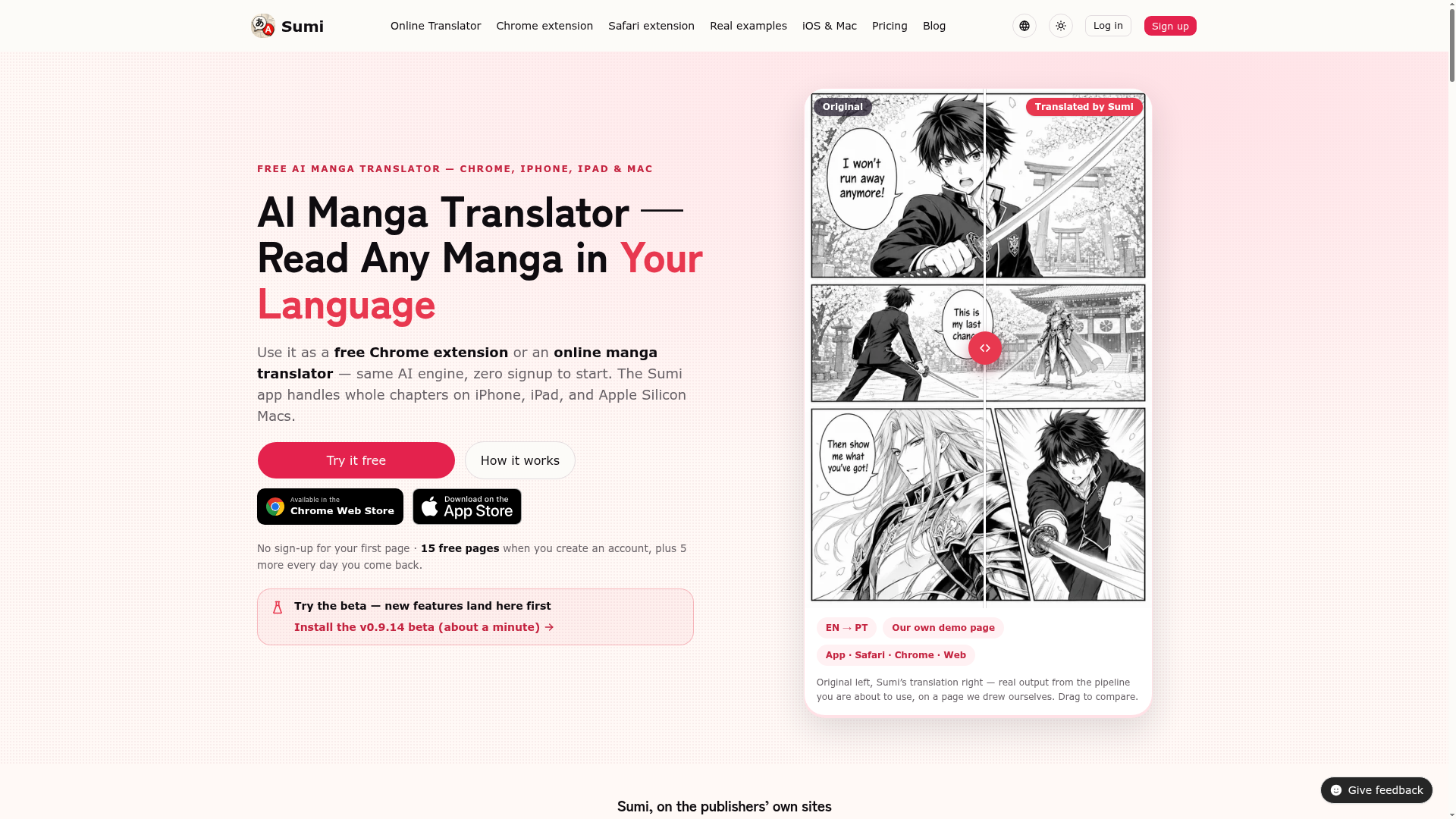
Sumi Introduction
What is Sumi?
Sumi is an advanced AI-powered manga translation platform designed to break language barriers for comic enthusiasts. It allows users to read manga, manhwa, manhua, and webtoons in their native language by seamlessly erasing the original text from the artwork and re-typesetting the translation directly into the panels. Available as a free Chrome extension, an online web tool, and a dedicated app for iPhone, iPad, and Mac, Sumi provides a smooth, integrated reading experience on the publishers' own websites without requiring users to navigate away from their favorite platforms. It supports translations into 16 languages and works on over 30 official manga platforms, making it a versatile tool for global readers.
What are the main features of Sumi?
-
Seamless In-Art Translation: Unlike traditional methods that overlay white boxes, Sumi uses AI to completely erase the original text from the manga artwork and re-typeset the translated text directly into the speech bubbles and sound effects, preserving the visual integrity of the page.
-
Native Vertical CJK Typesetting: For tall speech bubbles common in Japanese, Chinese, and Korean comics, Sumi provides true vertical typesetting, displaying text from top to bottom as intended, rather than rotating horizontal text awkwardly.
-
Platform Integration: The Chrome extension operates directly on the official manga publisher websites (e.g., Shonen Jump+, MANGA Plus, Comic Walker). Users can translate pages instantly on the site they are already browsing, with no need to copy images to a separate tab.
-
Offline Capability: The Sumi app for iPhone, iPad, and Mac allows users to download models and translate entire chapters completely offline. This is ideal for reading on flights, commutes, or anywhere without an internet connection.
-
Broad Language & Platform Support: It translates content into 16 languages and has been tested on over 30 official manga publishing sites, covering a vast library of content from raw manga to Korean webtoons and Chinese manhua.
-
Free Tier with Generous Allowance: Users can try one page for free without signing up. Creating an account grants 15 free pages, with an additional 5 free pages added for each day the user returns to the platform.
How to use Sumi?
Using Sumi is straightforward and offers multiple entry points depending on your device:
-
On a Computer (Chrome): Install the free Sumi Chrome extension from the Chrome Web Store. When reading manga on a supported website, the extension will allow you to translate the page directly within your browser.
-
Online (Any Browser): Visit the Sumi online manga translator. You can drag and drop a manga page image file (JPEG, PNG, WebP) or paste a screenshot to receive a translation instantly, with one free page allowed before sign-up.
-
On iPhone/iPad/Mac: Download the Sumi app from the App Store. You can import entire chapters in formats like PDF, ZIP, or CBZ, or use photos from your library. The app handles the translation process on-device for privacy and offline use.
The workflow is consistent: the AI finds every text bubble, reads the original, translates it, erases the original text, and redraws the new translation into the artwork.
Price
Sumi operates on a freemium model:
-
Free Tier: No sign-up is required to translate your first page. Upon creating a free account, you receive ### 15 welcome pages for translation. Additionally, you earn ### 5 more free pages for each day you check in to the platform or app.
-
Sumi Pro / Page Packs: If the daily free pages are insufficient for your reading needs, you can subscribe to ### Sumi Pro or purchase page packs for extended translation capabilities. Specific pricing details for subscriptions and packs are available within the app and on the official website.
Helpful Tips for Using Sumi
-
Start with the Free Page: Use the online translator or Chrome extension to try one page for free. This is the best way to see the quality of the re-typesetting before committing.
-
Use the Daily Check-in: If you're a free user, make a habit of opening the Sumi app or website daily to claim your 5 additional free pages and build up your translation credits.
-
For Offline Reading: Download the necessary AI model packs within the Sumi app on your iOS device. Once downloaded, you can translate imported chapters anywhere without an internet connection.
-
Check Platform Compatibility: While Sumi supports many major sites, not every manga website may work perfectly. Refer to the "Tested Sites" list on their website for the most up-to-date compatibility information.
-
Provide Feedback: Sumi maintains a public feedback board. If you have a feature request (like the vertical typesetting request from a user) or encounter an issue, you can contribute there where progress is tracked publicly.
Frequently Asked Questions (FAQ)
Is Sumi really free to start?
Yes, you can translate one manga page without creating any account. After signing up for a free account, you receive 15 pages to start and earn 5 more per day through daily check-ins.
What languages can Sumi translate into?
Sumi can translate manga into 16 languages: English, Español, Français, Português (BR), Deutsch, Italiano, Nederlands, 简体中文, 繁體中文, 한국어, 日本語, Русский, Bahasa Indonesia, Tiếng Việt, العربية, and Türkçe.
Can Sumi translate entire chapters offline?
Yes, with the Sumi app for iPhone, iPad, and Mac. You can import whole chapters (as PDF, ZIP, CBZ, or images), download the translation model, and process everything completely on your device without an internet connection.
Will Sumi work on the manga website I use?
Sumi has been tested on over 30 official platforms, including Shonen Jump+, MANGA Plus, Comic Walker, and many more. A full list is available on their site. It's designed to work directly on these publishers' pages via the Chrome extension.
How does the translation quality compare to other tools?
Sumi focuses on high-quality, seamless integration. Its key differentiator is erasing and re-typesetting text into the art, preserving layout and offering true vertical typesetting for CJK languages, which often results in a more authentic and readable experience than simple text overlay.
What happens to my data and privacy?
Sumi is designed with privacy in mind. The Chrome extension and online tool only process the specific page you choose to translate. The iOS/Mac app can perform all translation work offline on your device, meaning your manga files and data never need to leave your possession.
When would I need to upgrade to Sumi Pro?
If you are an avid reader and find that the daily free page allowance (5 pages per day after the initial 15) does not meet your consumption rate, subscribing to Sumi Pro or purchasing a page pack would provide you with the capacity to translate more content.
 Cloudflare
 HTTP/3
Free AI Anime & Manga Generator
Free AI anime and manga generator. Turn text into anime episodes, manga, comics, webtoons and comic shorts in any art style — no drawing or animation skills needed.
AI Image Translator
Translate image text across 70+ languages with our advanced AI Image Translator to help you better expand your products globally to various countries
Featured
Advertised Here
Reach thousands of visitors daily. Get your spot now!