What is XJumper?
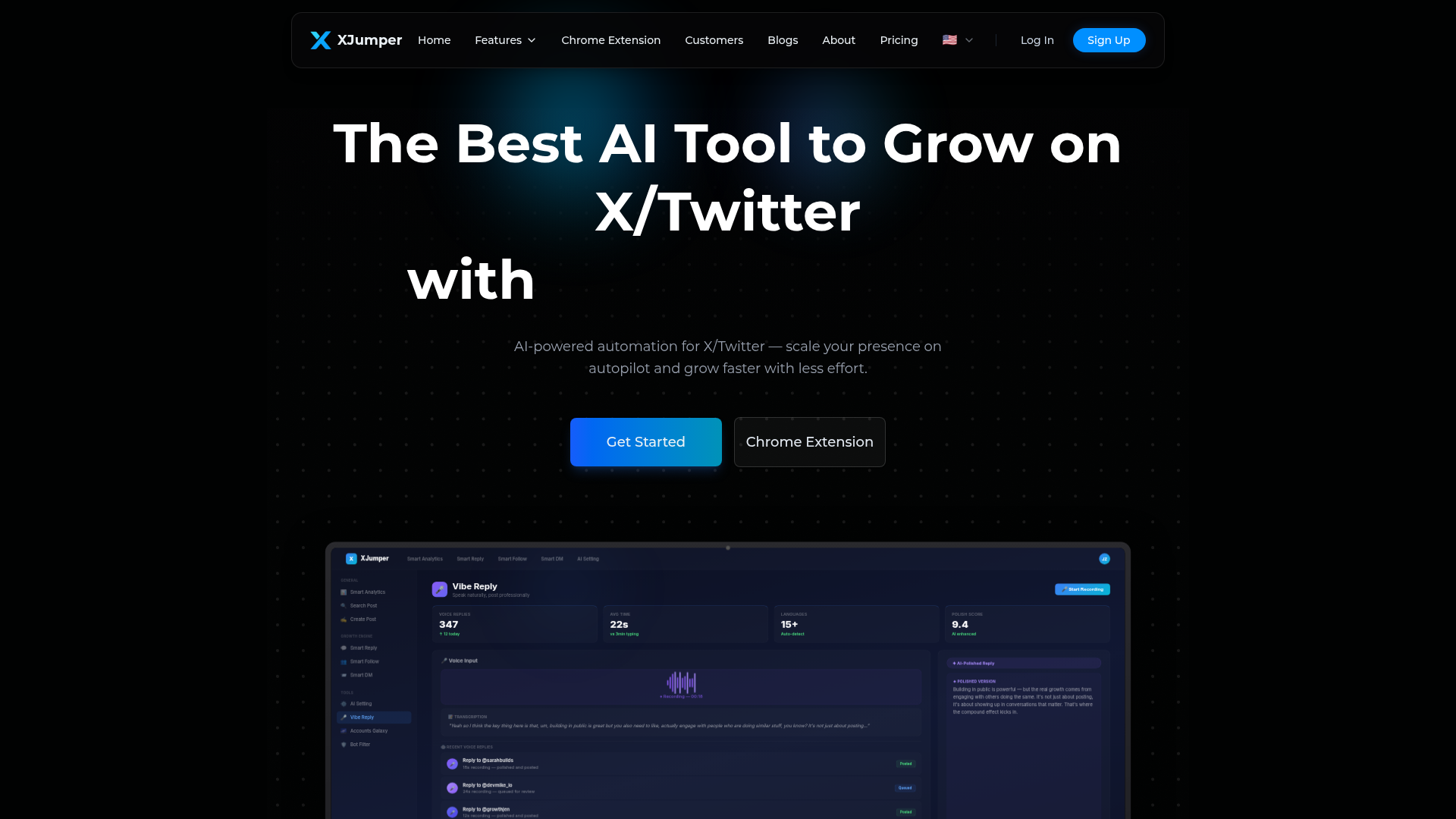
XJumper is an AI-powered automation platform designed specifically for growing and monetizing your presence on X/Twitter. It functions as a comprehensive growth suite, scaling your account's engagement, follower base, and conversions on autopilot. By leveraging artificial intelligence, XJumper automates key tasks like replying to posts, following targeted accounts, sending personalized direct messages (DMs), generating content, and providing detailed analytics. This allows users—from solo creators to teams—to build a significant presence faster and with less manual effort, turning X/Twitter into a reliable channel for audience growth and lead generation.
What is the main feature of XJumper?
XJumper's core value lies in its integrated suite of AI-driven automation features that work cohesively to drive growth. Its main features include:
- Smart Reply
- An AI-powered system that monitors trending conversations and keywords, then generates contextually relevant, on-brand replies. It helps users engage early and authentically in high-signal threads without constant manual monitoring.
- Smart Follow
- Automatically discovers and follows high-value accounts based on user-defined criteria like keywords, competitor followers, and niche communities. It also manages follow-back ratios by auto-unfollowing non-responders.
- Smart DM
- Sends personalized, AI-crafted direct messages to new followers or target lists at scale. It uses templates and personalization to welcome users, nurture leads, and drive conversions while avoiding spammy patterns.
- Smart Analytics
- A real-time dashboard tracking vital growth metrics like follower gains, engagement rates, post impressions, and DM conversion rates. It provides insights on top-performing content and optimal posting times.
- AI Post Generator
- Creates viral-ready posts and threads by analyzing millions of tweets. It can repurpose content from other formats (like YouTube videos) and generate ideas to overcome writer's block.
- Bot Reply Filter & AI Settings
- Ensures all automated interactions sound human by filtering out generic, spammy, or self-promotional language. Users can configure their AI's tone, reply length, and target topics.
- Accounts Galaxy & Target Monitoring
- Visual tools to discover key influencers, competitors, and accounts within your niche, and monitor their activity for strategic opportunities.
- Vibe Reply (Browser Extension Feature)
- Allows users to speak naturally to compose posts and replies via voice-to-text, which the AI then polishes for professional tone and clarity.
- Chrome Extension
- Integrates directly into X.com, providing in-context tools like AI Reply suggestions, Quick-Follow buttons, Tweet Value estimates, and Activity Overview charts on your profile.
How to use XJumper?
Using XJumper involves a streamlined workflow to set up and automate your X/Twitter growth:
- Sign Up & Connect: Create an account on the XJumper web platform and authorize your X/Twitter account via the secure Chrome Extension or direct integration.
- Configure Your AI Voice: In the AI Settings panel, define your preferred tone (Professional, Casual, etc.), reply length, target audience (e.g., SaaS founders, indie hackers), and topics to engage with or avoid.
- Set Up Automation Modules:
- Smart Follow: Add "Follow Sources" such as keywords ("SaaS growth"), followers of competitors, or specific X Communities. Set daily follow limits and let the tool run.
- Smart Reply: Define keywords or topics for the AI to monitor. The system will scan trending posts, generate suggested replies, and you can approve, edit, or queue them for posting.
- Smart DM: Choose or create DM templates for different scenarios (e.g., Welcome, Lead Magnet). Set triggers, such as sending a DM when someone follows you back.
- AI Post Generator: Input a topic, idea, or link (like a YouTube video), and let the AI generate a post or thread. Schedule it for publication at optimal times.
- Monitor & Optimize: Regularly check the Smart Analytics dashboard to track performance. Use insights like "Top Performing Content" and "Recommended Action" to refine your strategy, adjust posting schedules, and fine-tune target sources.
- Use the Chrome Extension: Install the extension for real-time tools. Use "Vibe Reply" to voice-record posts, see "Follow Status" on avatars, get "AI Reply" suggestions while composing, and view "Tweet Value" estimates directly on X.com.
- Scale Safely: Ensure the Bot Reply Filter is active to maintain a human-like interaction quality. Respect platform guidelines by pacing automation (e.g., daily follow limits) and focusing on authentic engagement.
How much does XJumper cost?
XJumper offers tiered subscription plans to suit different needs and usage levels. Pricing is structured to provide increasing levels of access to automation features, higher usage limits, and advanced analytics. Typically, plans range from a basic starter tier for individual creators to professional and team tiers for heavy users and agencies. Specific pricing details, such as monthly costs, feature access per tier (e.g., number of Smart Reply actions per day, DM campaign limits), and any free trial offerings, are available on the XJumper pricing page. Users are encouraged to visit https://www.x-jumper.com/pricing for the most current and detailed pricing information.
Helpful Tips for Using XJumper
- Start with Clear Goals
- Define what you want to achieve—more followers, higher engagement, lead conversion—and configure your AI settings (Target Audience, Reply Topics) accordingly.
- Prioritize Authenticity
- Use the Bot Reply Filter and regularly review the "Filter Log" to ensure your AI replies are adding value and not sounding generic. Edit AI-suggested replies to inject your personal voice.
- Leverage Data
- Don't just automate blindly. Use Smart Analytics to identify which "Follow Sources" yield the highest follow-back rates and which content types get the most impressions. Double down on what works.
- Combine Features Strategically
- For example, use Smart Follow to grow your audience, then use Smart DM with a "Lead Magnet" template to convert new followers. Use Smart Reply to engage with the audience you've attracted.
- Respect Platform Limits
- Configure conservative daily limits for actions like follows and DMs to mimic natural human behavior and maintain account safety.
- Use the Extension for Efficiency
- The Chrome Extension allows for quick actions (like one-click follows) and in-context AI replies, saving time and keeping you engaged directly on the platform.
- Test and Iterate
- Experiment with different AI tones (Casual vs. Professional), DM templates, and posting schedules. Use the analytics to see which configurations yield the best engagement and conversion rates.
- Focus on High-Value Engagement
- Use Target Monitoring and Accounts Galaxy to identify and engage with key influencers and competitors in your niche, rather than casting a wide net.
Frequently Asked Questions
What is the best Twitter automation tool in 2025?
XJumper positions itself as a leading AI-powered Twitter/X automation tool in 2025 by offering a comprehensive, integrated suite of features (Smart Reply, Follow, DM, Post Generator, Analytics) combined with a safety-focused approach (Bot Reply Filter). Its advantage lies in using AI to generate context-aware, human-like interactions rather than simple, repetitive scripts, and providing deep analytics to optimize growth strategies.
Is Twitter/X automation safe? Will my account get banned?
XJumper is designed with safety in mind. It incorporates features like the Bot Reply Filter to prevent spammy, generic replies that could flag accounts, allows users to set conservative action limits (daily follows, replies), and encourages authentic, value-added engagement. By automating tasks in a way that mimics thoughtful human interaction and adhering to platform best practices, XJumper aims to keep your account safe. However, users should always use automation responsibly and stay informed about X/Twitter's official terms of service.
How does Auto Reply work on XJumper?
Auto Reply (Smart Reply) works by continuously monitoring X/Twitter based on your configured keywords, target accounts, or trending topics. When it identifies a relevant post, its AI generates a contextual reply suggestion that matches your configured tone and voice. You can then review, edit, approve, or queue these suggestions. The system aims to post these replies promptly to help you engage early in conversations where visibility is highest.
How does Auto Follow work on XJumper?
Auto Follow (Smart Follow) allows you to define sources of target accounts: keywords (e.g., "AI tools"), followers of specific competitors, or members of X Communities. The system then automatically follows accounts from these sources within your set daily limit. It also tracks follow-back rates and can automatically unfollow accounts that don't follow you back after a period, helping maintain a healthy follower ratio.
Do I need to code or run scripts?
No. XJumper is a fully managed, no-code platform. All features are accessible through a user-friendly web interface and Chrome Extension. You configure settings through simple forms and dropdowns; the automation runs on XJumper's infrastructure. There is no need for users to write or manage any scripts.
Which languages does XJumper support?
XJumper's AI features, including Smart Reply and the AI Post Generator, support multiple languages. The platform can auto-detect the language of a post and reply in the same language. The Vibe Reply feature in the Chrome Extension also supports transcription and polishing for numerous languages. Specific supported languages are detailed within the product settings.
How does XJumper compare to Hypefury, Tweet Hunter, and Typefully?
XJumper distinguishes itself by offering a deeply integrated, AI-native suite. While tools like Hypefury and Typefully excel at content scheduling and management, and Tweet Hunter focuses on content inspiration and engagement, XJumper combines advanced AI for content generation (Post Generator) and interaction (Smart Reply, Smart DM) with robust automation (Smart Follow) and comprehensive analytics (Smart Analytics). Its Bot Reply Filter and AI Settings for tone control are also unique features aimed at ensuring automated interactions remain high-quality and on-brand.
How does XJumper handle my data?
XJumper states that it values user privacy. According to the platform, your data is not used for training its AI models. You maintain control over your information and can delete your account and associated data at any time. The Chrome Extension uses a secure cookie sync for authorization without storing passwords.
XJumper
XJumper is the best AI tool for X/Twitter growth. Auto Reply to trending posts, Auto Follow targeted users, generate AI posts, and Auto DM new followers. Trusted by 1,300+ creators, founders, and brands to grow faster without burnout.
 Cloudflare
 HTTP/3
 Next.js
 Node.js
 React
React Webpack
Free AI anime and manga generator. Turn text into anime episodes, manga, comics, webtoons and comic shorts in any art style — no drawing or animation skills needed.
Translate image text across 70+ languages with our advanced AI Image Translator to help you better expand your products globally to various countries
Advertised Here
Reach thousands of visitors daily. Get your spot now!
Tools similar to XJumper
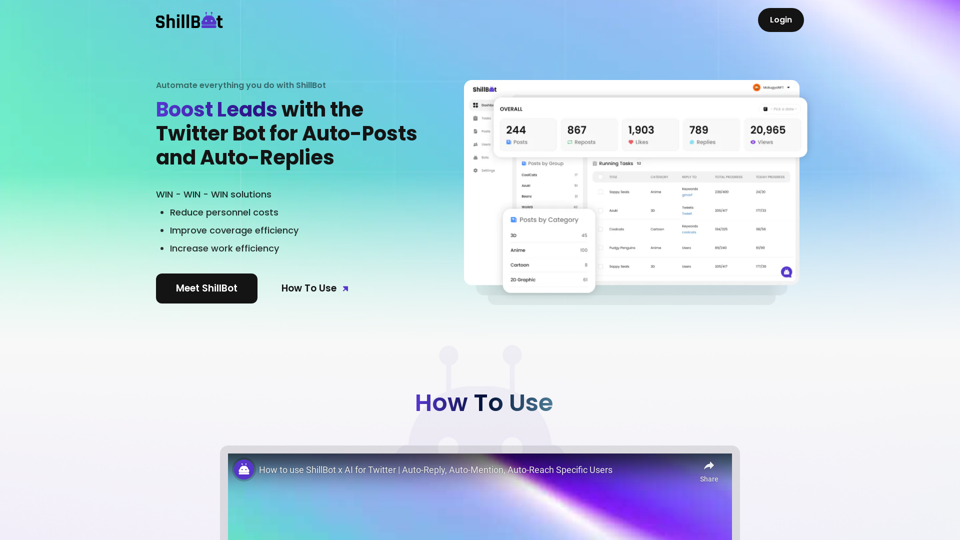
ShillBot is a powerful marketing tool for people who live on Twitter. It enables you to monitor multiple accounts on a single platform and automatically reply, mention, and reach your specific users across thousands of accounts within seconds.